
One platform for your whole lab.
Plasmole is the AI-powered operating system that helps molecular biology labs design sequences, plan experiments, analyze results, and keep their team’s research and knowledge connected.
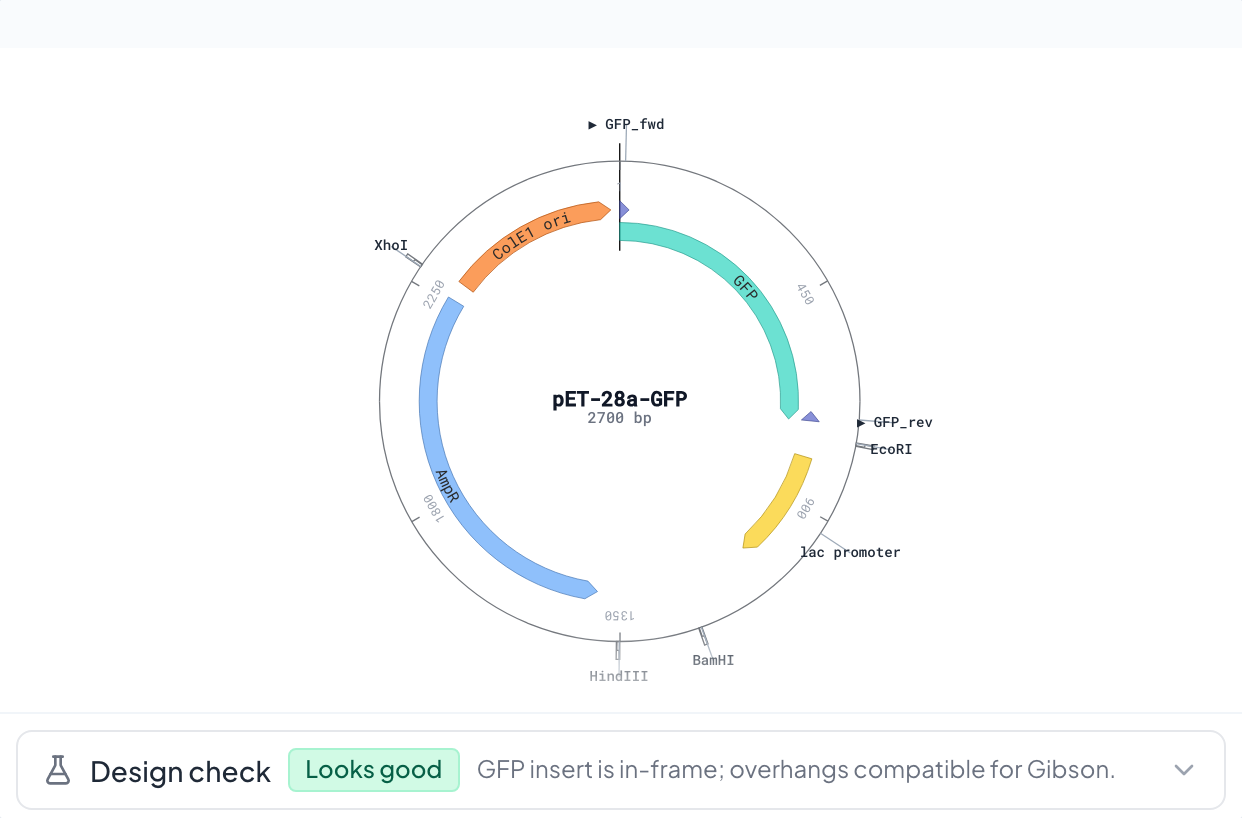
Design and check your next construct.
Build annotated sequences, design primers and guides, and inspect the design before ordering parts. Review proposed AI sequence changes before applying them.
More design capabilities
- Map and sequence editor at any sequence size, with auto-annotation, enzymes (including your own), digests and virtual gels
- Primer3 primers, batch design with a plate order sheet, and PCR simulation
- CRISPR knockout and base-editing guides with CFD scores (SpCas9, NGG), and codon optimization for several organisms
- The Design Studio wizard: application, backbone, parts, review
- Lineage and a version diff for each construct
Test the cloning plan before the bench.
Connect the steps of your build, simulate the assembly, and turn the plan into a reusable protocol.
More planning capabilities
- Nodes for digest, PCR, Gibson, Golden Gate and In-Fusion assembly, transformation and gel
- Simulate the graph and run compatibility checks
- Generate a protocol from the plan
- Save it as a template, with photos, video chapters and share links
Compare your clones with your design.
Align Sanger reads against your references, locate mismatches, and review the evidence for each clone.
More verification capabilities
- Many traces against many references, in one run
- Consensus and a mutation summary
- CRISPR clone validation
- Read assembly
- Multiple alignment with a tree and a sequence logo, and plasmid comparison
- clone_1.ab1matches
- clone_2.ab11 mismatch · G14A
- clone_3.ab1matches
- clone_4.ab1matches
Keep every experiment connected to its evidence.
Write and review together, link constructs and results, and preserve the decisions behind the work in a shared lab notebook.
More notebook capabilities
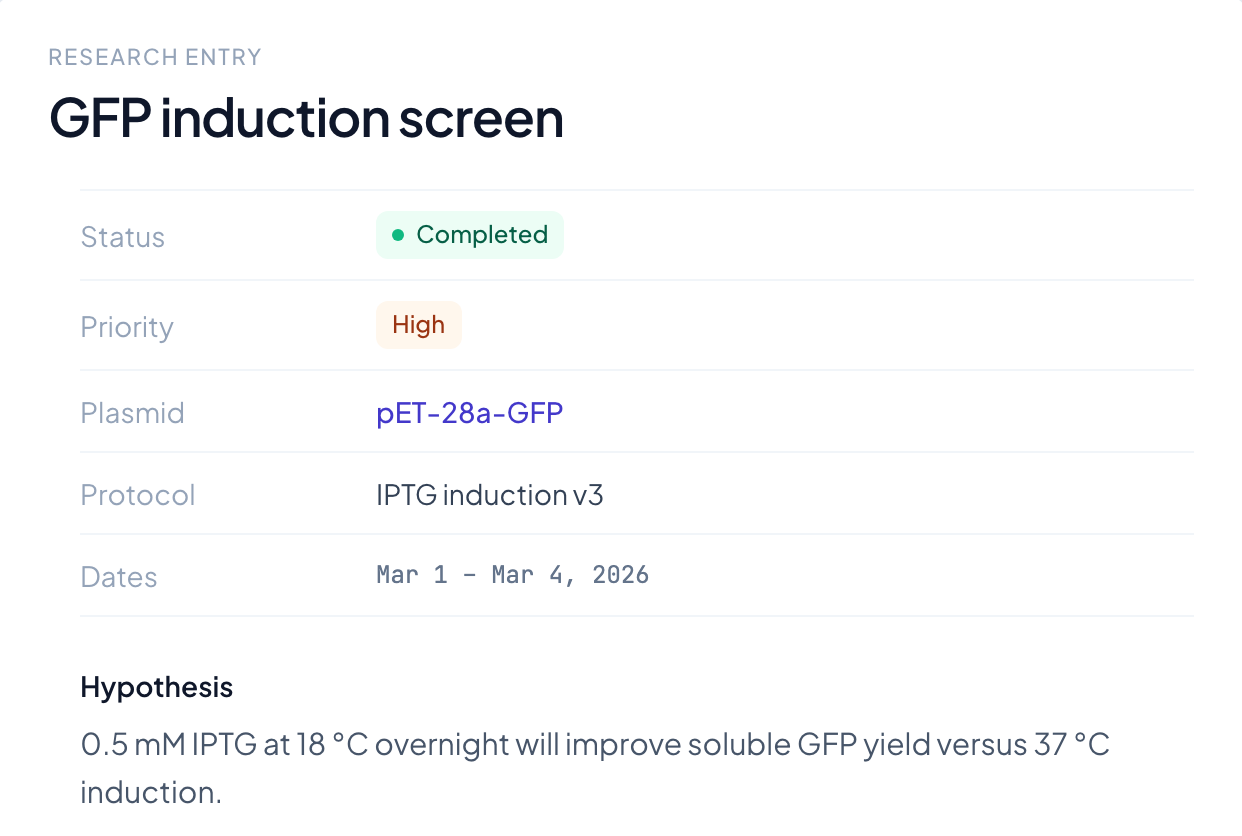
- Notes, experiments and protocols, from lab, personal or Plasmole templates, with autosave as you type
- Live co-editing of notebook entries, depending on plan
- Comments, @mentions and review requests on entries and plasmids, with notifications
- Version history with diff and restore
- Draft → In progress → Review → Signed; unlocking a signed entry takes a reason
- Protocol step check-off, formula tables and "Draft with AI"
- Import Word or Markdown; export PDF, Word or Markdown
Understand what your results show.
Compare conditions, fit curves and inspect replicates. Keep each chart linked to its source data and notebook entry.
More analysis capabilities
- Spreadsheets with formulas, from CSV or Excel
- BioTek Gen5 plate-reader import and a plate-layout editor
- IC50 and GR50, growth fits, 4PL standard curves and qPCR efficiency
- t-test and ANOVA
- Rerun analyses and attach charts to notebook entries
Compare GFP signal across the four promoter variants.
- Data
- plate_read_oct2.csv
- Column
- RFU/OD600 by construct
- Groups
- 4, six replicates each
- Test
- One-way ANOVA, since there are more than two groups
- Drawn
- Mean ± SEM, every replicate. No log transform.
P3-GFP reaches 1.63× the control. One-way ANOVA F(3,20) = 118.4, p < 0.0001.
Opened in a tab · attached to Expression screen
RFU normalised to OD600. Mean ± SEM, n = 6 per construct, every replicate drawn. Tukey post-hoc: P3 vs control p < 0.0001.
Put your lab’s tools and knowledge to work.
Ask Plasmole to design primers, check an assembly or draft a protocol. It uses scientific tools and your lab’s saved context, with proposed changes available for review.
More AI capabilities
- Does the work. Three specialists, for your lab and the app, design, cloning and sequence analysis, and research, share 90+ curated tools. 31 are deterministic compute, so the numbers are the tool's, not the model's.
- Asks first. A change to a sequence or the notebook stops on an approval card. Approve, extend or reject.
- Shows its sources. Answers about your lab open the entries, plasmids and tasks they came from.
- Remembers the lab. Shared facts, private facts, and preferences that follow you. Review them in the Memory Explorer.
- Checking tasks
- Searching your lab notebook
Two work items are overdue: the colony PCR, due Monday, and the sequencing order, due Tuesday. Both belong to the Gibson build recorded on 2 Sep.
See who’s doing what—and what’s due.
Move between your tasks, the team’s work and project progress. Assign responsibility and open the experiment behind each task.
More lab capabilities
- PI Home brings together reviews, projects and people
- Roles from admin to viewer, a permission matrix and an audit log
- Share inside the lab, or view-only with people outside it
See your tasks, the team’s work and every project in one lab board. Work items link directly to their notebook entries and constructs.
Bring your files. Find your research.
Import existing sequences and records, organize them by project, and search across the lab’s work. Bring in reference sequences without leaving Plasmole.
More library and connection capabilities
- Projects, folders, one search across everything, and a trash
- Import existing sequence files and Sanger traces; view supported formats
- Fetch sequences from NCBI, and run BLAST
- A Benchling CSV updates metadata on plasmids you've already imported; it doesn't bring in sequences
- Plasmole's tools inside Claude, ChatGPT and Codex through MCP, with interactive maps in chats that support them, and "Open in Plasmole"
- The connector uses your Plasmole account and calculates on the sequences you provide, with primer3-py, Biopython, MUSCLE v5 and nearest-neighbor Tm

What Plasmole connects to.
Public databases, literature and the AI clients you already use. Only connections that work today are listed.
- Claude MCP
- ChatGPT MCP
- Codex MCP
- NCBI GenBank
- BLAST
- Ensembl
- UniProt
- PDB
- AlphaFold
- PubChem
- PubMed
- Benchling CSV · metadata